

Encrypted backups of files, servers, virtual machines and databases, run from one place.
Custodia backs up only what changed, encrypts it on the machine before it leaves, and stores it in Vault56 or on your own disk. You manage every machine's policy from Vault56, and restores range from one file to a whole server.
Available 11 October 2026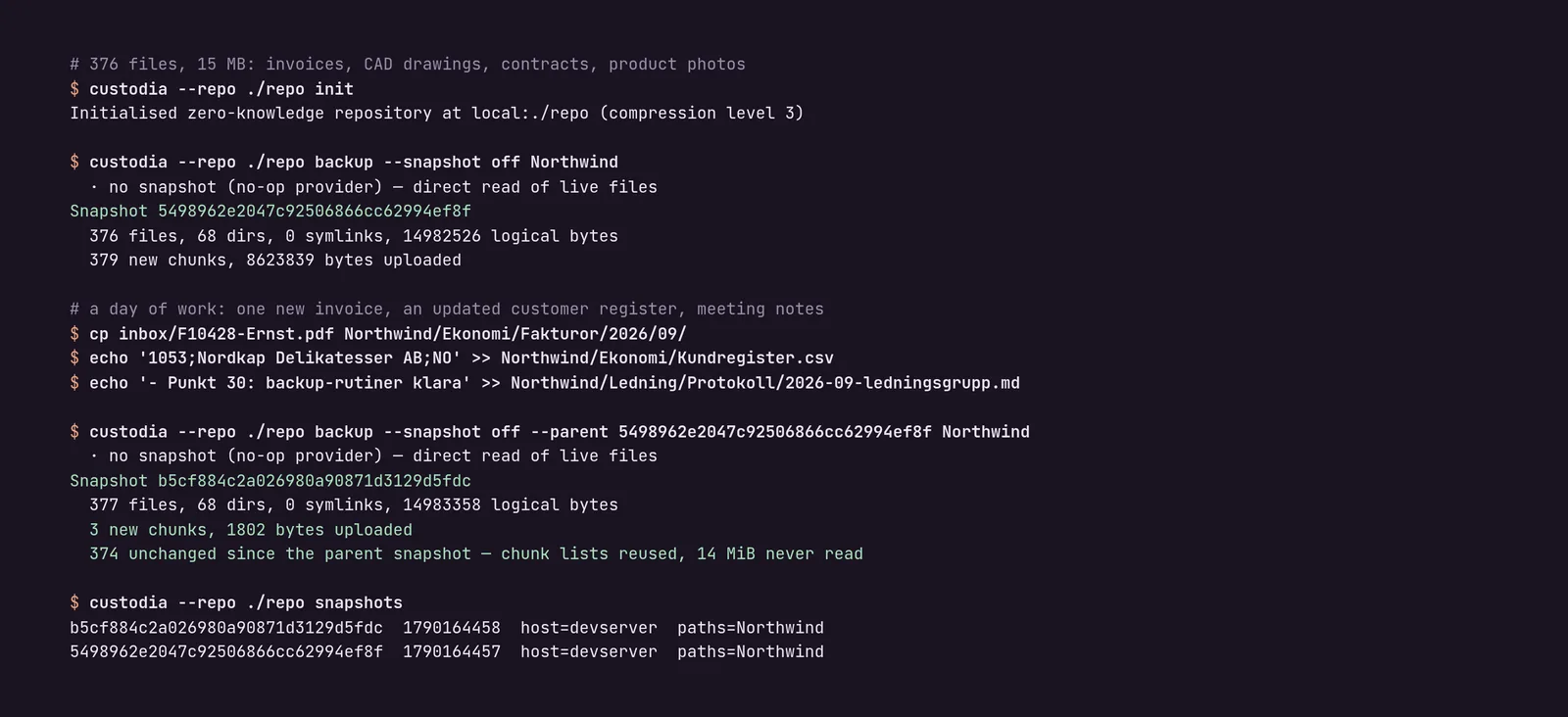
What Custodia does
For IT teams and service providers backing up servers and workstations, and organisations that need encryption only they can unlock.
Efficient and private
Only what changed
Data is split into chunks and each chunk is stored once, across all backups.
Encrypted on the machine
Keys are protected by your passphrase. Choose zero-knowledge, or a company key held in escrow.
Sensible retention
Keep daily, weekly and monthly copies, and old data is cleaned up safely.
Immutable storage
Works with write-once storage, so ransomware can't delete your backups.
Back up everything
Open files
Consistent snapshots with btrfs, ZFS and LVM on Linux.
Virtual machines and containers
KVM and QEMU with changed-block tracking, and Docker volumes.
Databases
PostgreSQL, MySQL, MariaDB and SQL Server, backed up the way each expects.
Restore with confidence
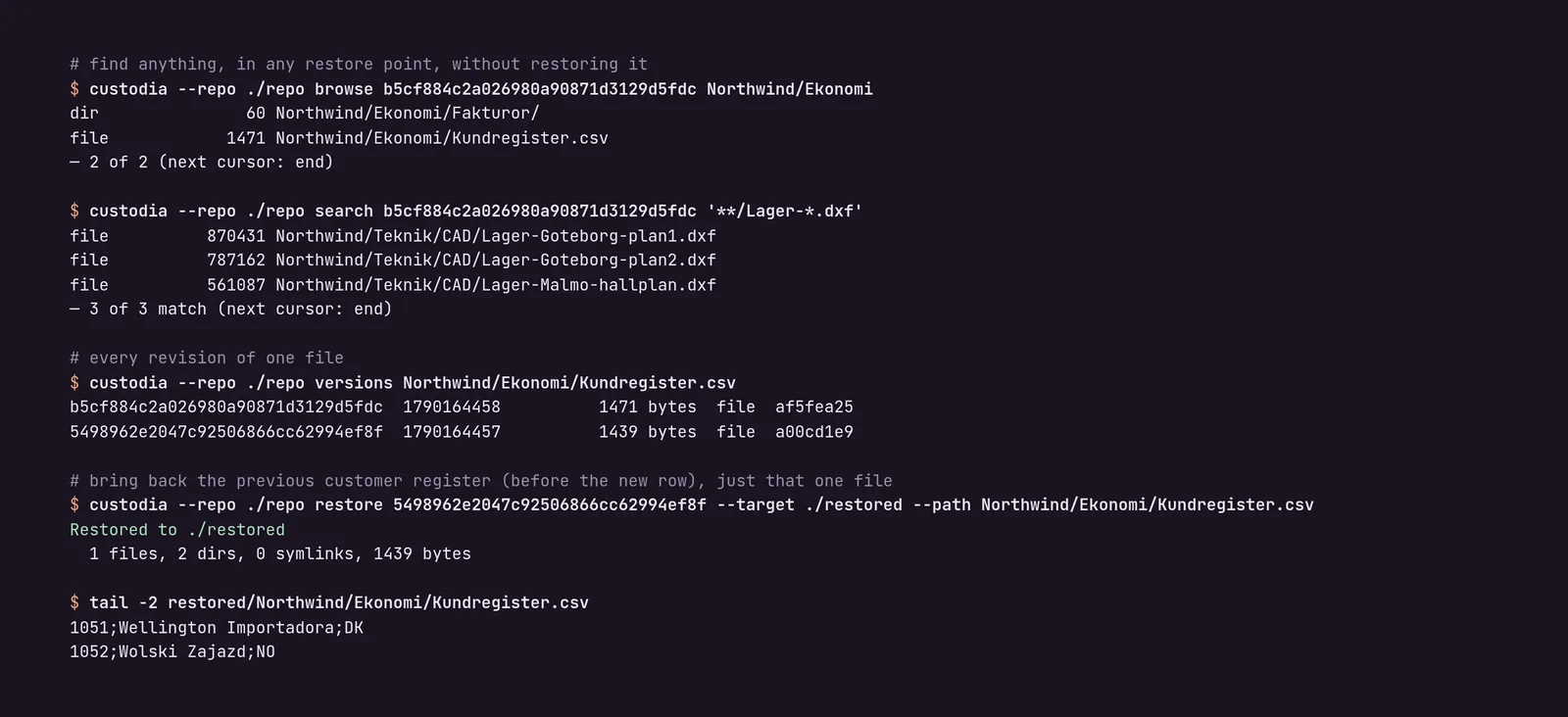
Browse without downloading
Search every snapshot and restore a single file or folder.
Bare-metal recovery
Write a full image to a new disk and boot it, with BIOS and UEFI recovery media.
Rebuild a host
Each snapshot records packages, services and users, so a replacement machine can be rebuilt.
Restore rehearsals
Scheduled test restores prove your backups actually work.
Run a fleet
Central policies
Enrol machines with a token and apply presets for Windows, Linux and macOS.
Signed commands
High-impact commands from the platform are signed and verified on the machine.
Install from Vault56
Install Custodia on a managed machine with one click.
Packages for every system
.deb, .rpm, Windows MSI and macOS, with signed self-update.
Runs on Vault56
Custodia stores backups in Vault56 file storage, which runs on Titan. The platform's backup fleet view manages machines, policies and restores, and agents receive signed updates from the Vault56 release service.
- Data and APIs
- Accounts and sign-in (used)
- File storage (used)
- Realtime and push
- Workflows and automation
- Functions
- AI
- Agents and devices (used)
- Signed updates (used)
- Marketplace and billing
Get Custodia on 11 October 2026
Try the platform today. The products open to everyone on 11 October 2026.