

Every server and PC you look after, watched, secured and kept up to date from one place.
The vault56 Remote Agent runs quietly on your Windows, Linux and macOS machines and reports to vault56. You see every host's health in one list, get alerts when something goes wrong, install updates, block attackers, manage firewalls and certificates, and open a terminal when you need one. It also maps your network and finds the devices on it. There's nothing to host yourself.
What Remote Agent does
For IT administrators with a handful to a few hundred machines, managed service providers looking after several customers, small businesses with an office network, and anyone hosting mail or websites on mailcow or ISPConfig.
Find out before your users do
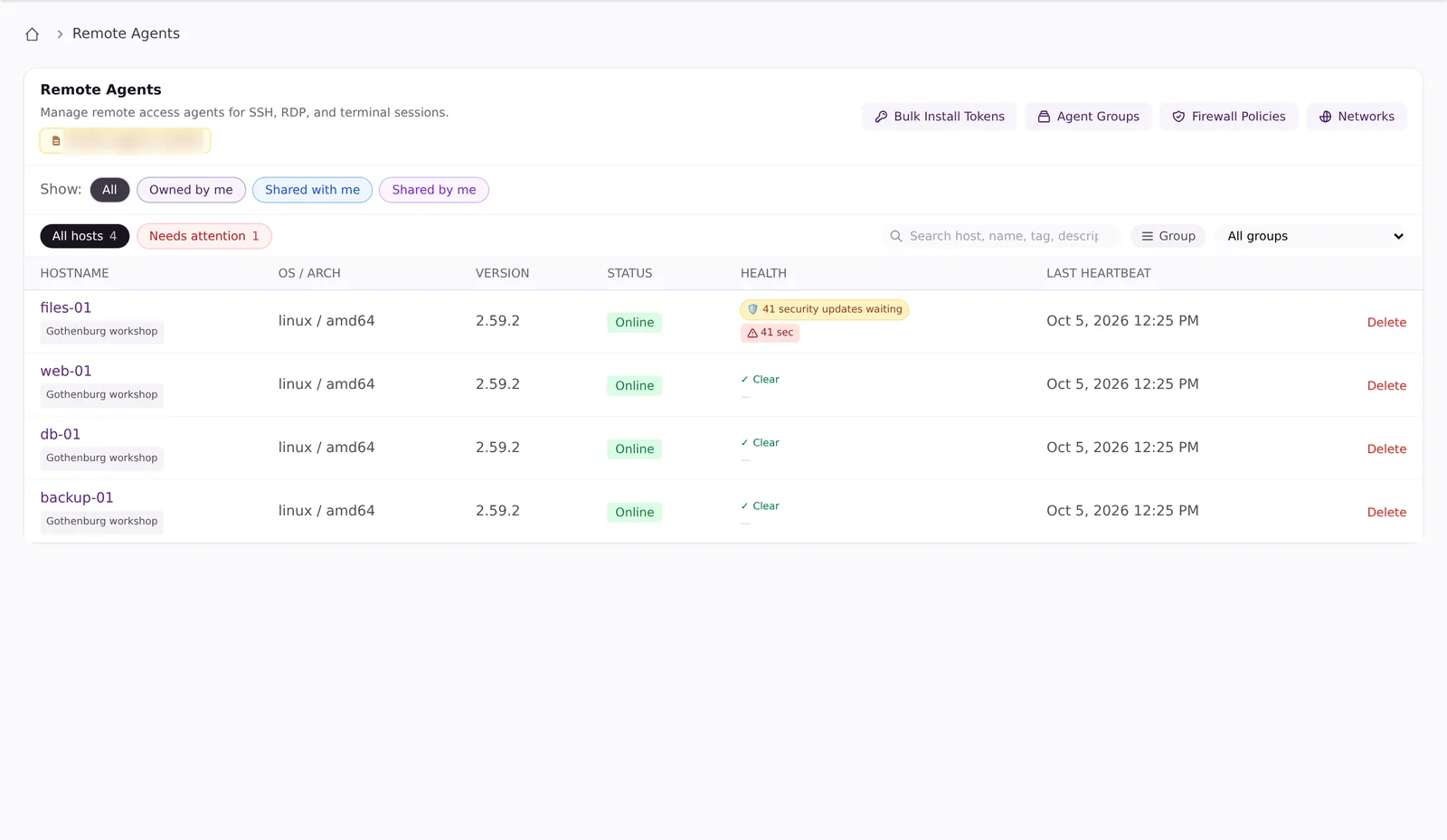
One list of every host, and one panel for everything that's wrong, worst first.
Every host in one list
Online, overdue or offline at a glance, filtered by status and operating system.
Everything that's wrong
Unreachable hosts, full disks, memory, CPU, drive health, pending reboots, expiring certificates and pending updates.
Know when the disk will be full
vault56 projects the date from up to 90 days of usage, so you can act weeks ahead.
Drive health and wear
SSD wear and the warning signs of a failing drive, so you replace it before it breaks.
Alerts that ignore brief spikes
Rules on CPU, memory, disk, load, network and drive wear, by e-mail, in the app or by webhook.
A plain-language summary
A regular e-mail per host explains the trends that never trip an alert.
Attackers blocked, nobody logged in
Stops password guessers
Addresses that keep failing to log in are blocked on the host, including Remote Desktop and SQL Server on Windows.
Test before you block
Run in watch-only mode first and see what each threshold would have blocked.
Port-scan detection
Notices when someone probes the host for open ports, and can block them. Linux and Windows.
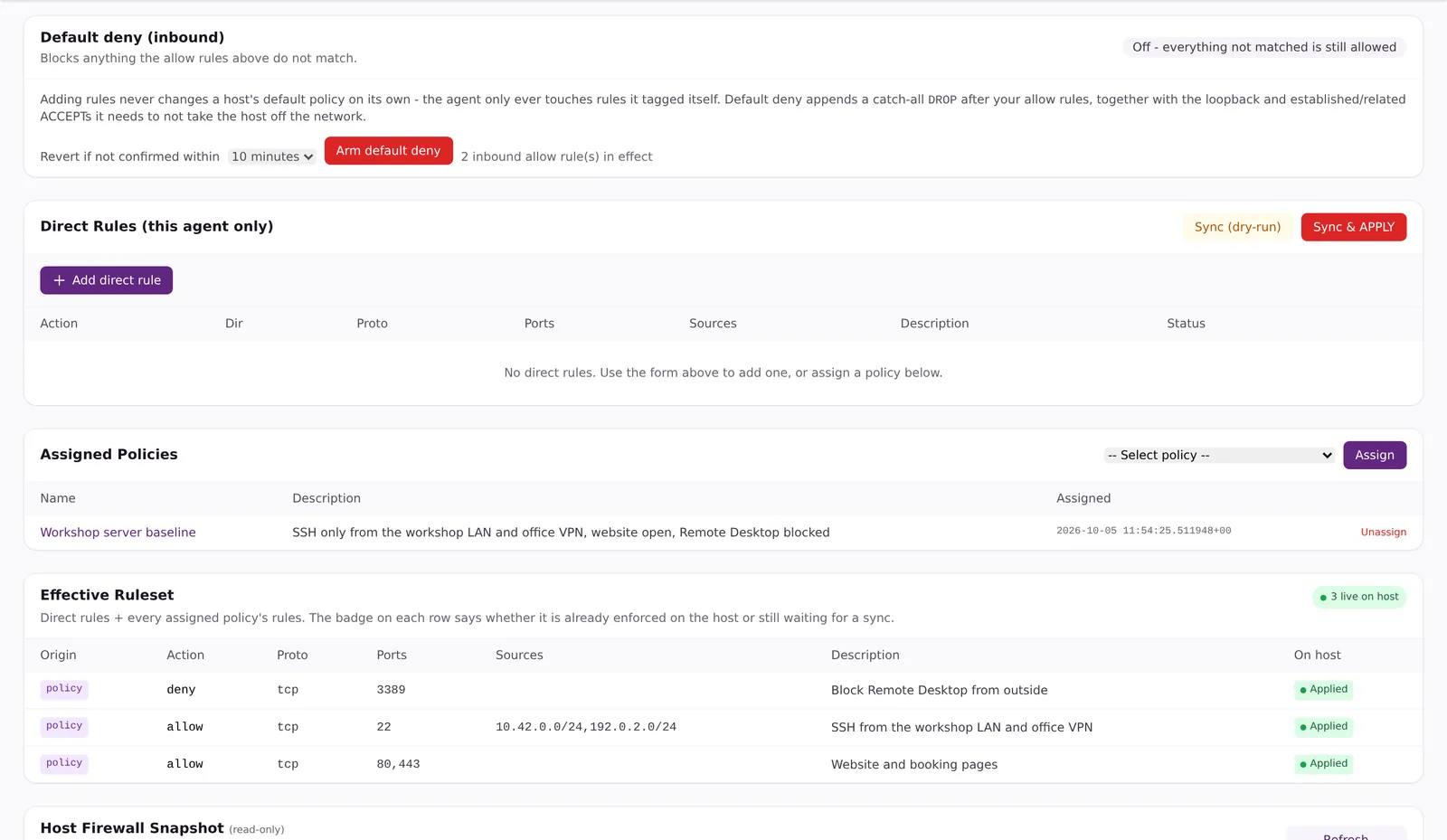
Firewall control from one place
Write rules once, group them into policies and apply them to many machines, with a check that each rule is really in place.
A safe default-deny switch
It switches itself off after 10 minutes unless you confirm you can still reach the host. Linux.
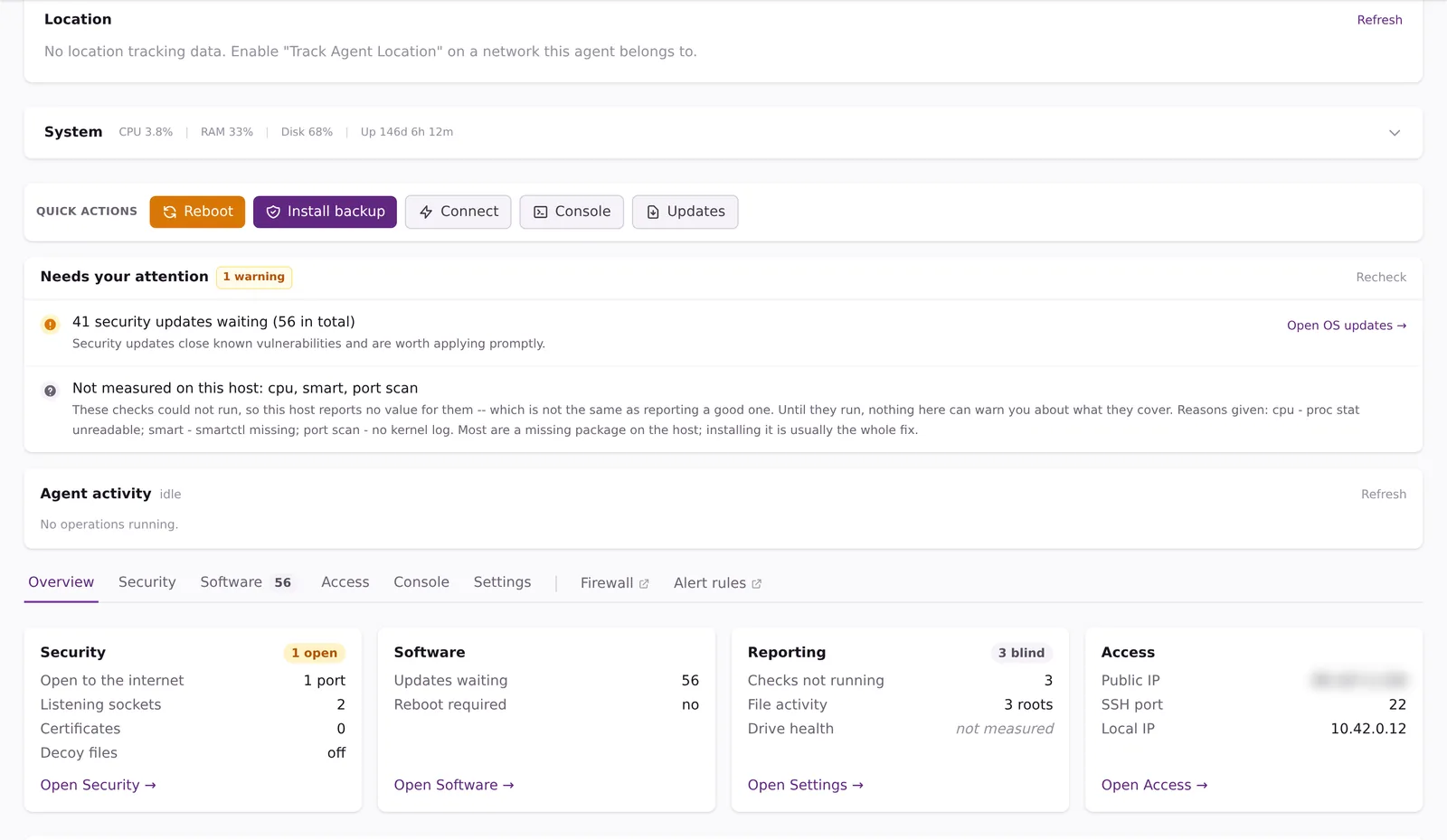
Security check-up
20+ checks for the operating system, from firewall and SSH settings to disk encryption, each with a fix.
Certificates renewed automatically
Free TLS certificates installed by the agent, and bound to an IIS site on Windows.
Updates without the late nights
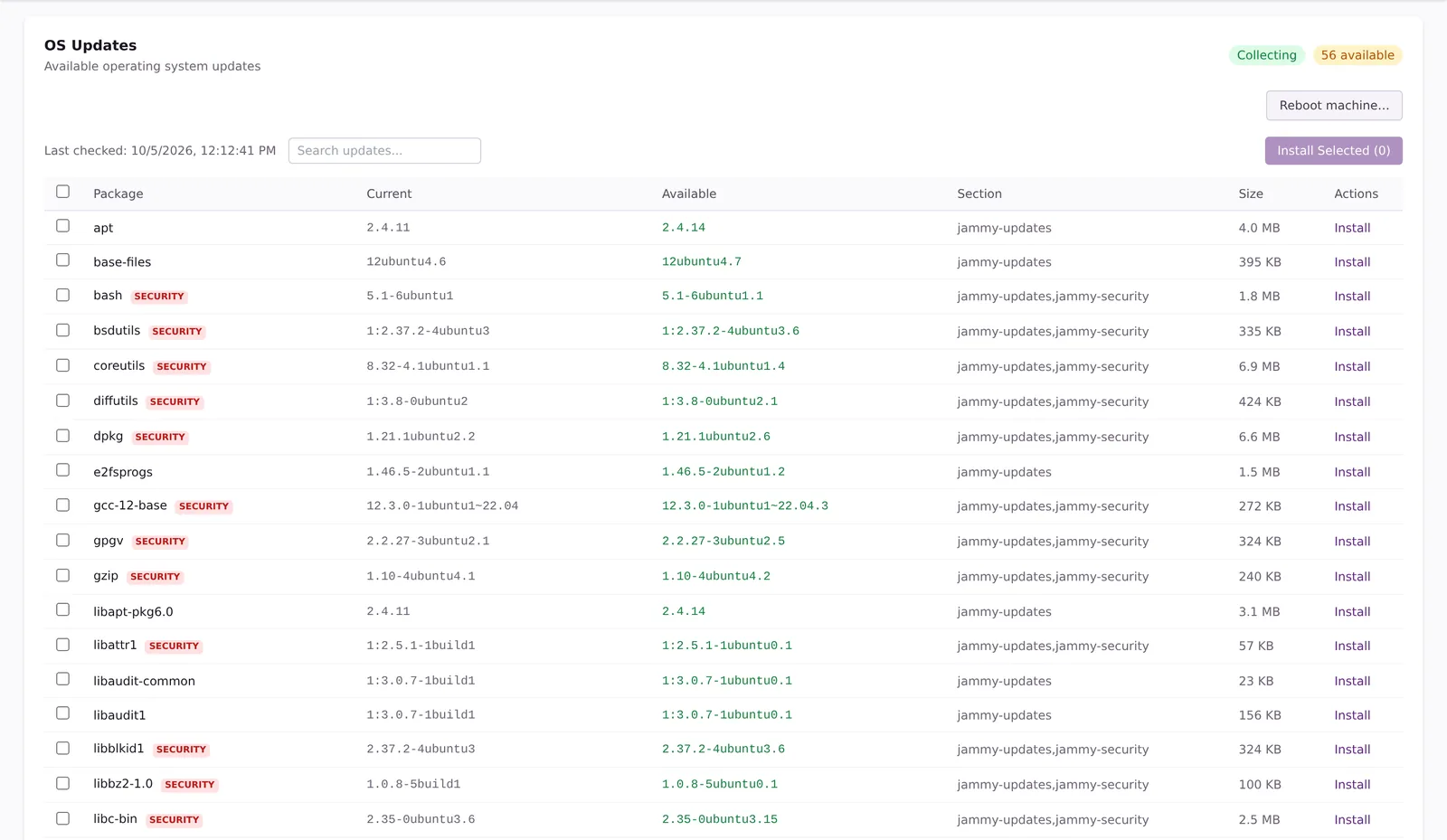
OS updates, reviewed and installed
On Linux and Windows: see pending updates with security updates marked, install the ones you choose and read how it went.
Automatic security updates
On Linux, if you switch them on, with an e-mail that explains what was installed.
Reboots under control
Reboot now or later, and keep redundant servers from ever rebooting together.
mailcow and ISPConfig, backed up first
Updates applied with one click or in your maintenance window, after a backup that must succeed. Linux.
Signed agent updates
The agent refuses any update that fails the signature check, and you choose which machines go first.
See every device on your network
Even the ones without an agent.
Map the whole network
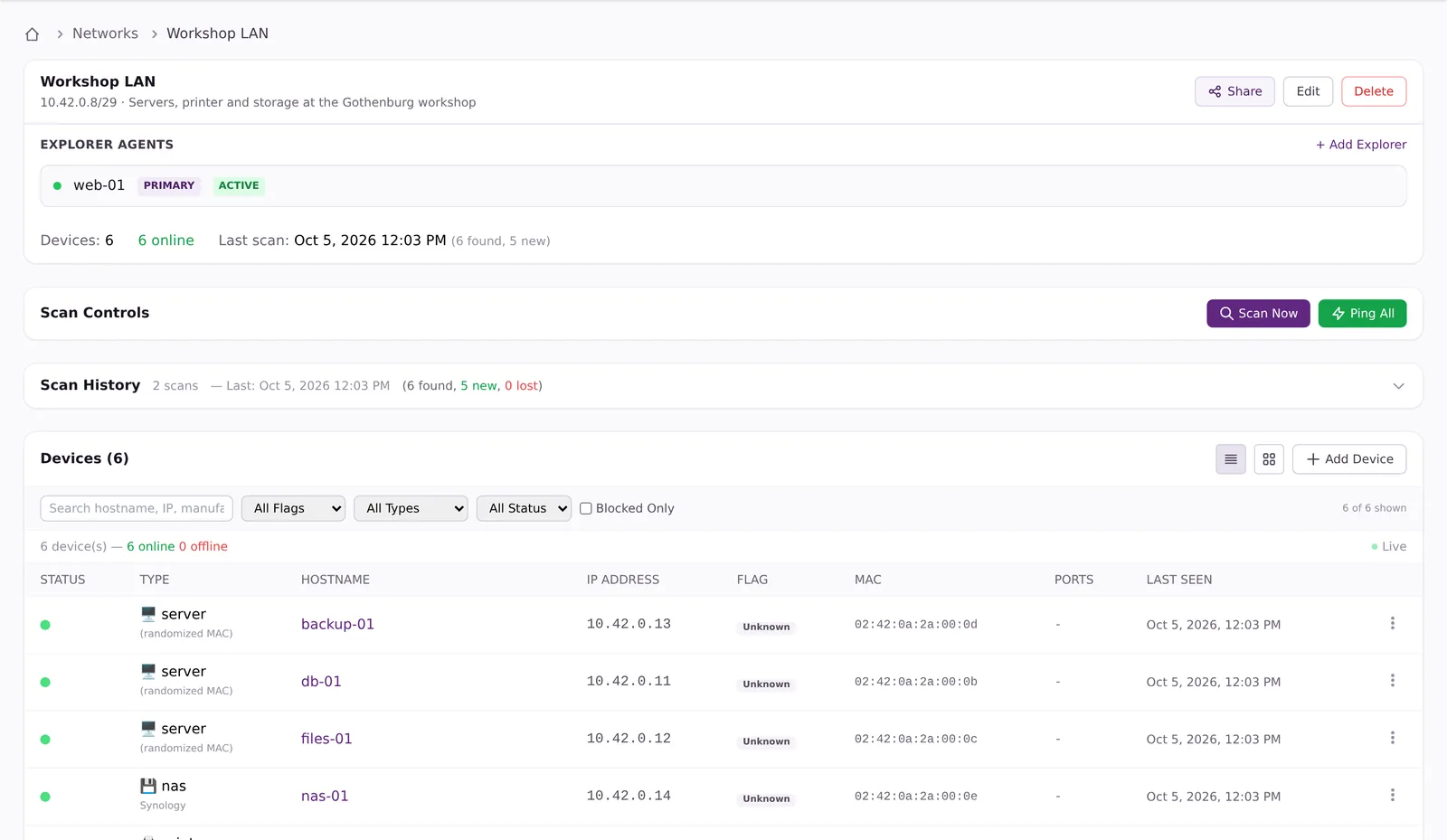
One agent per network finds computers, servers, printers, switches, cameras, phones, NAS and UPS units.
Know what each device is
Host name, addresses, manufacturer, operating system, open ports and services.
New devices within minutes
Quick sweeps between full scans spot and profile new devices straight away.
Open ports explained
Each open port is named, explained and given a risk colour, with advice on hardening it.
Trusted, foreign or dangerous
Mark devices, and block a dangerous one on every agent on that network.
Install from the map
Install the agent on a discovered machine over SSH or, on Windows, WinRM.
Fix it from here
Connect when you need to
Open SSH or Remote Desktop for your own IP address only, for 60 minutes, even behind NAT.
A terminal in your browser
A command-line terminal on the host, straight from vault56, limited to your IP for 30 minutes.
See what's running
Every action shows as queued, running, done or failed, so nobody triggers it twice.
An audit trail
Running a command, reading a file or changing a password is recorded in the security log.
Built for teams and customers
Install in one line
One command on Linux or macOS, PowerShell or a one-click installer on Windows.
Roll out with one token
A reusable install token puts new machines straight into the right group and network.
Groups and floor plans
Nest groups as company, building, floor and room, and place machines on a floor plan.
Share with colleagues or customers
Share a host, a group or a network as view-only, manage or full admin.
Backup in one click
Install Custodia on a Linux or Windows host from its page, encrypted on the machine before anything leaves it.
A full API
Everything here can also be done through the vault56 API.
Runs on vault56
The Remote Agent is built into the vault56 platform. Agents connect out to vault56, so no inbound ports are needed; alerts go out by e-mail, in the app or by webhook; agent updates come signed from the vault56 release service; and Custodia backup installs from the same host page.
- Data and APIs
- Accounts and sign-in (used)
- File storage
- Email (used)
- Realtime and push (used)
- Workflows and automation
- Functions
- AI
- Agents and devices (used)
- Signed updates (used)
- Marketplace and billing
Get started with Remote Agent
Every product runs on the same account. Start free and add what you need.