
Support tickets and project work, with workflows that route themselves.
Cases handles one-off tasks and repeatable processes in the same place. Customer emails become cases, a case can follow a workflow you draw with approvals and SLAs, and everyone involved is notified in the app, by email or by push.
Available 11 October 2026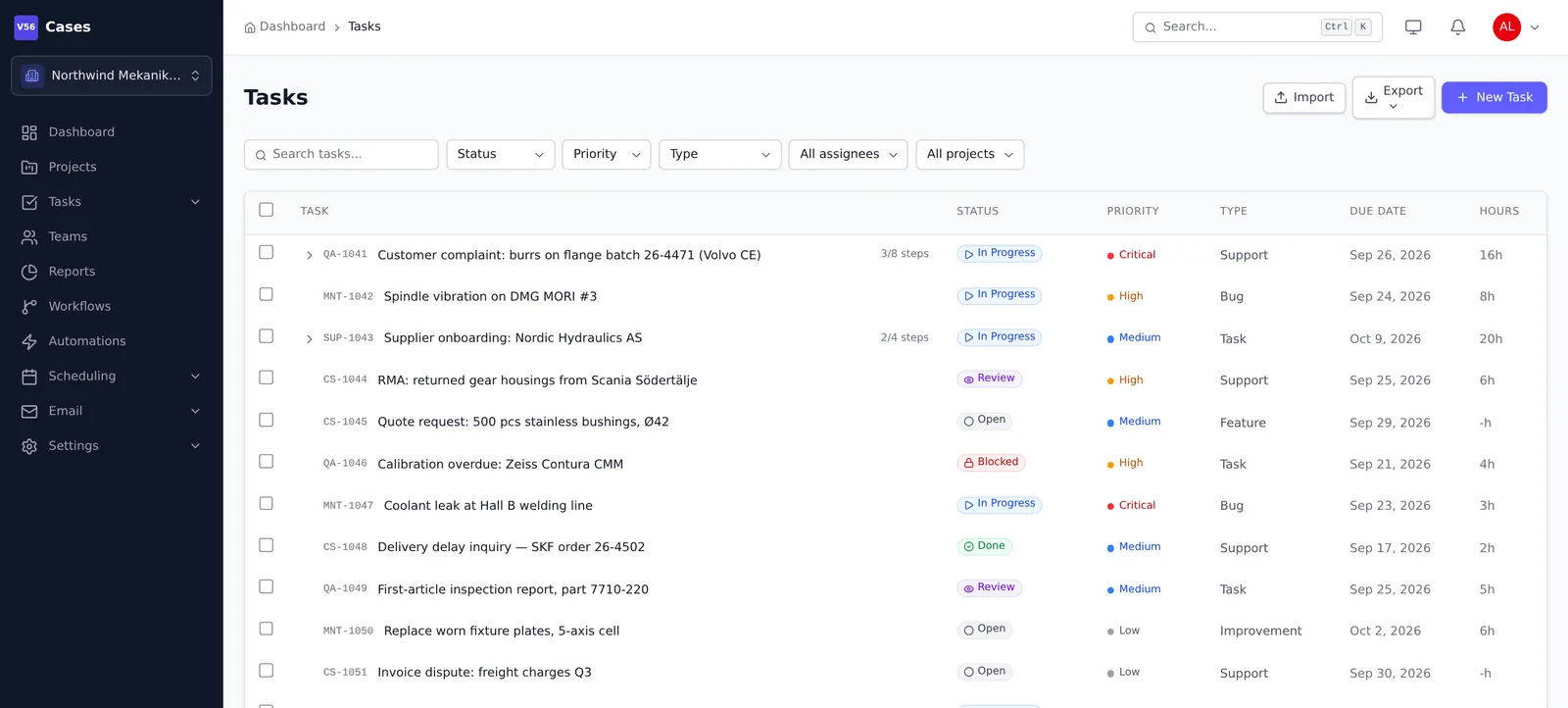
What Cases does
For support and service teams, internal IT and operations, and any team that runs approvals, onboarding or other multi-step processes.
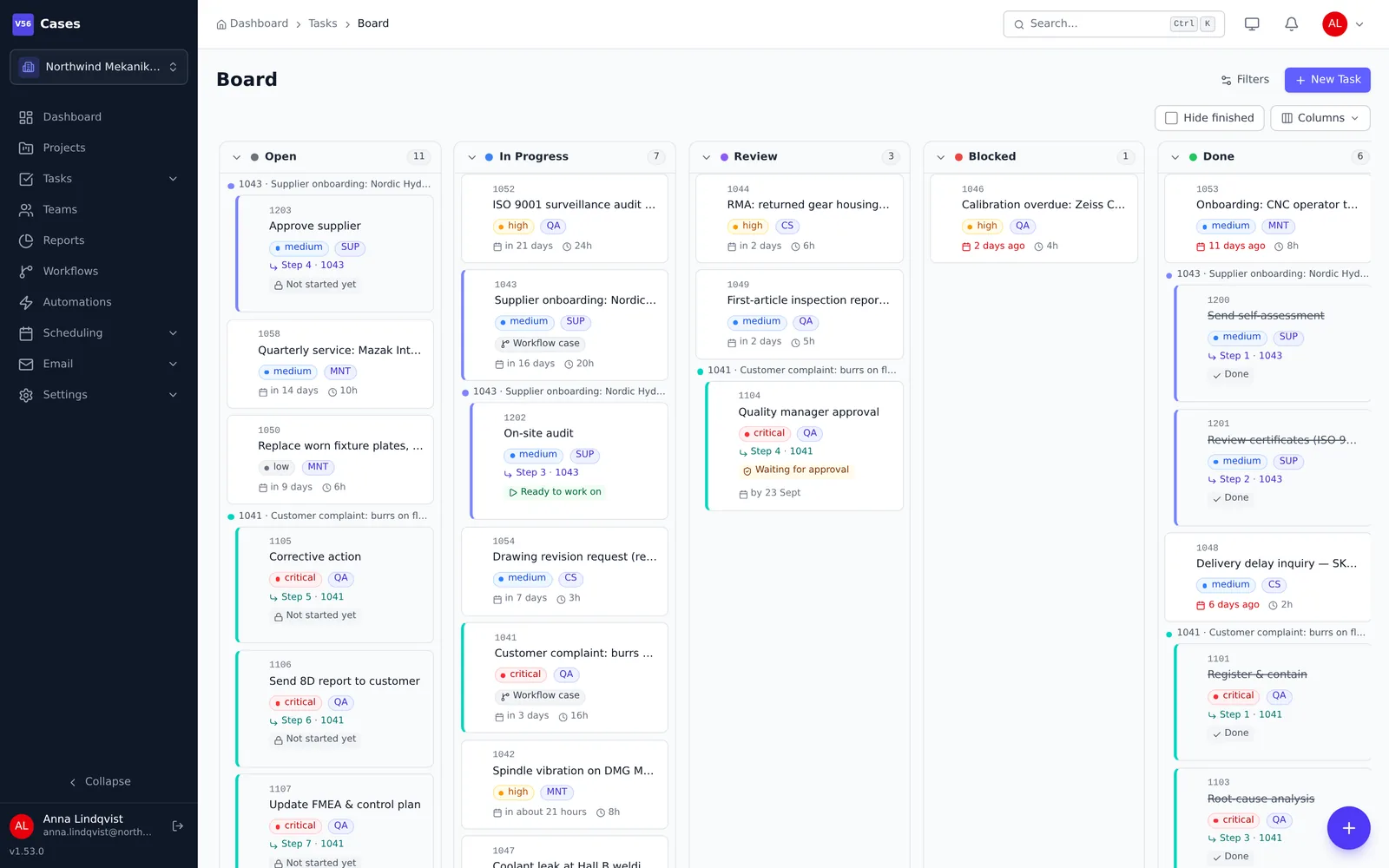
See the work your way
List, board, calendar and timeline
Switch views without losing filters, and save the ones you use.
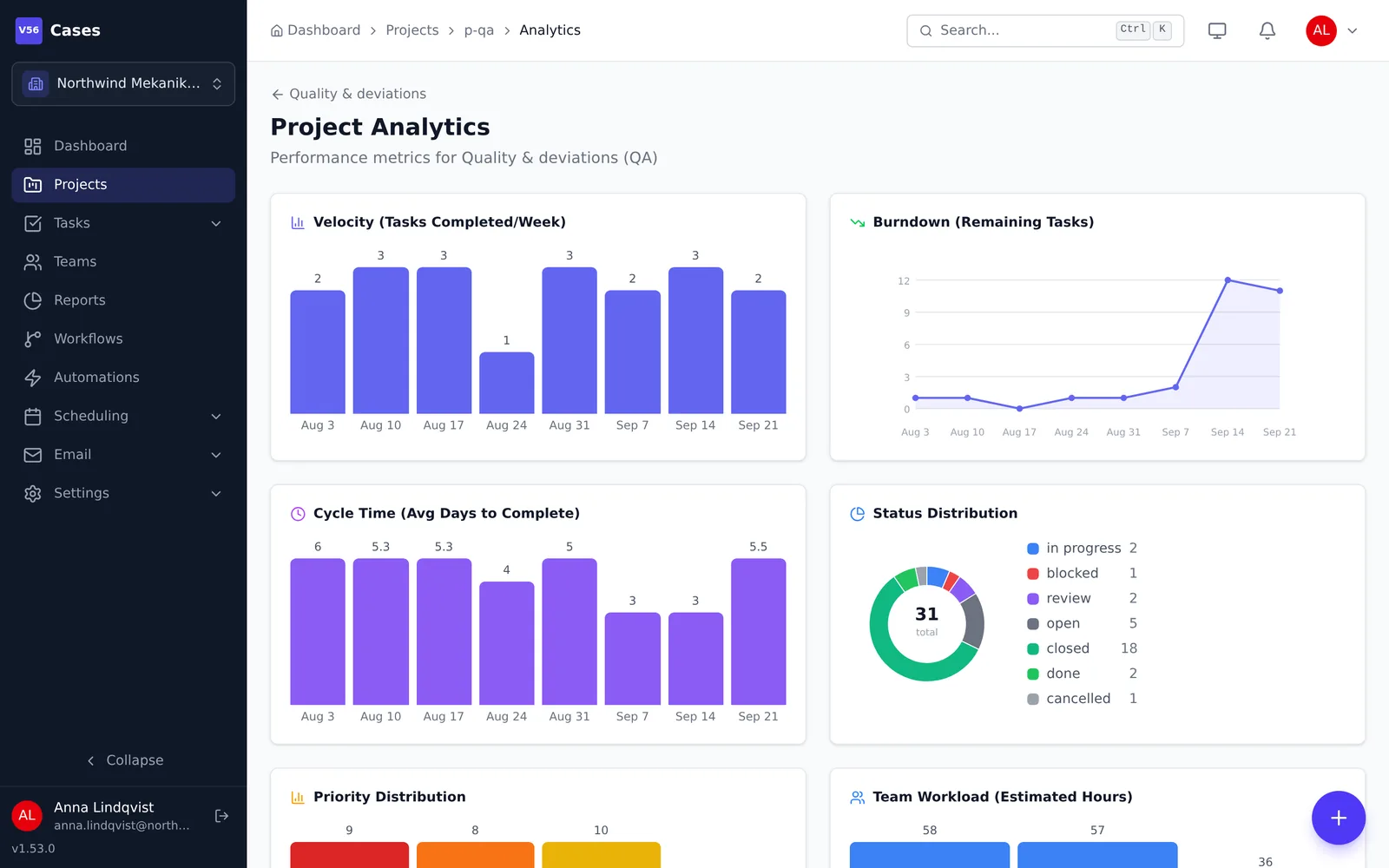
Projects with analytics
Throughput and progress per project, with custom fields and dependencies.
Blocking and recurring cases
A blocked case is locked until its dependency is done. Routine work repeats itself.
Time tracking
Start a timer on a case and export time to Excel or PDF.
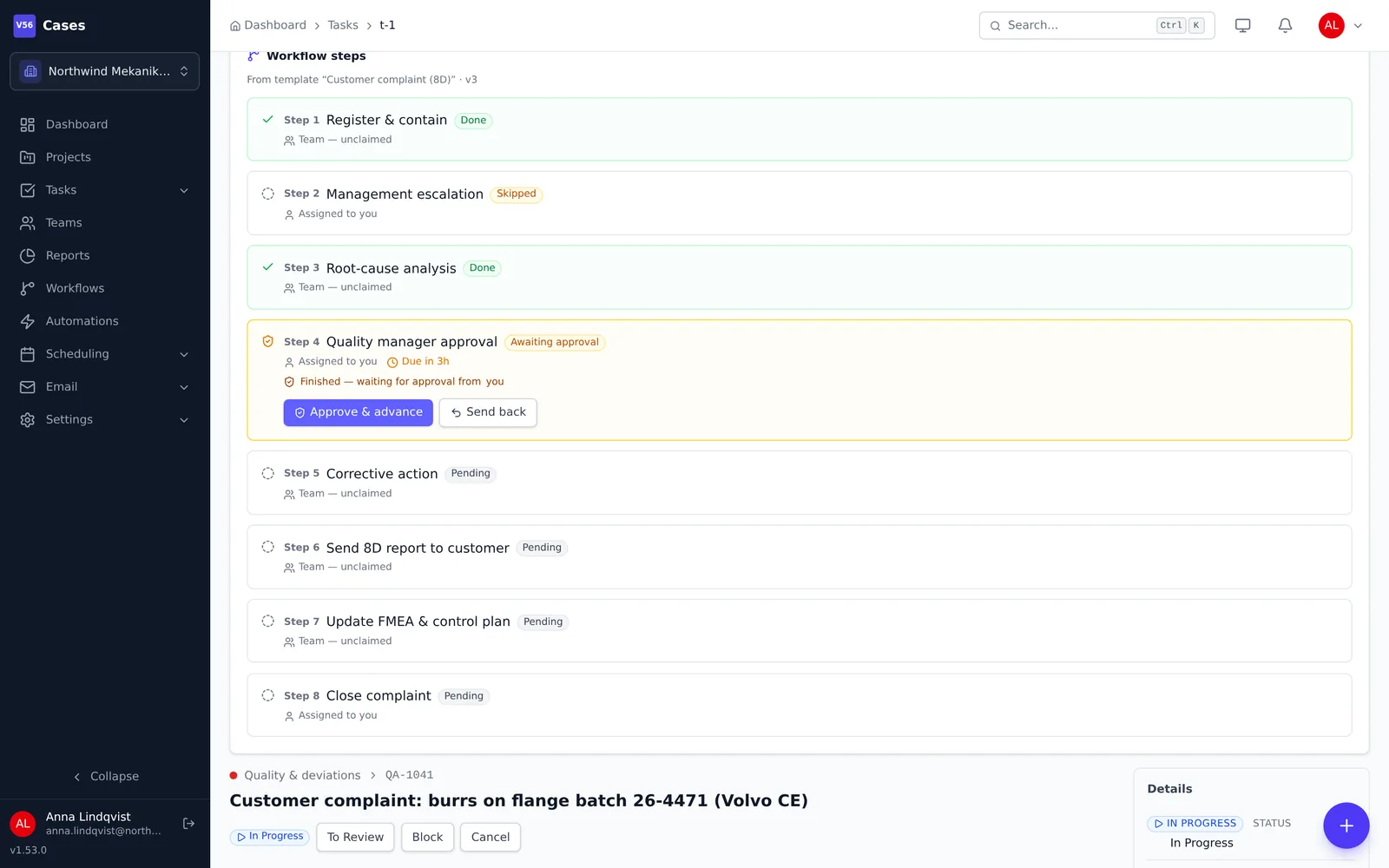
Workflows you draw
Drag steps onto a diagram. Cases then follow it on their own.
Visual designer
Automatic layout, plus checks that catch steps nobody can reach and loops with no way out.
Branches and parallel steps
Wait for all paths, any path or a set number before moving on.
Automatic routing
Route on priority, field values, a missed SLA or the result of a sign-off.
Sign-off and SLAs
Approver gates, overdue badges and reminders when a step runs late.
Talk to customers
Email becomes cases
Connect a mailbox and set rules for which messages open a case.
Reply in the customer's thread
Answers go out from your own address. A failed send can be retried.
Public status link
Share a read-only status page for a case. The customer needs no login.
Templates
Reuse the answers your team writes most often.
Team and automation
Notifications everywhere
In-app bell, branded email, web push and daily or weekly digests.
Teams and handover
Claim cases, hand them over, and plan around schedules and absences.
Rules and webhooks
No-code automation rules and outgoing webhooks with a delivery log.
Reports
Saved reports across projects for throughput, SLA compliance and workload.
Runs on Vault56
Cases is a Vault56 marketplace app. It stores cases in platform endpoints, sends mail through your connected email accounts, and uses the platform's notifications, web push and automation rules. Workflows and workforce planning are included in the plans that list them.
- Data and APIs (used)
- Accounts and sign-in (used)
- File storage (used)
- Email (used)
- Realtime and push (used)
- Workflows and automation (used)
- Functions
- AI
- Agents and devices
- Signed updates
- Marketplace and billing (used)
Get Cases on 11 October 2026
Try the platform today. The products open to everyone on 11 October 2026.