
What things cost: AI credit and packages
Three things decide what Studio costs: your package, the AI level you pick and the AI credit that pays for requests.
Steps
- To see what one project has cost, open the Grow menu and choose Project costs & activity. You see totals for all time, this month and the last 7 days, the cost per hour and the cost per AI level.
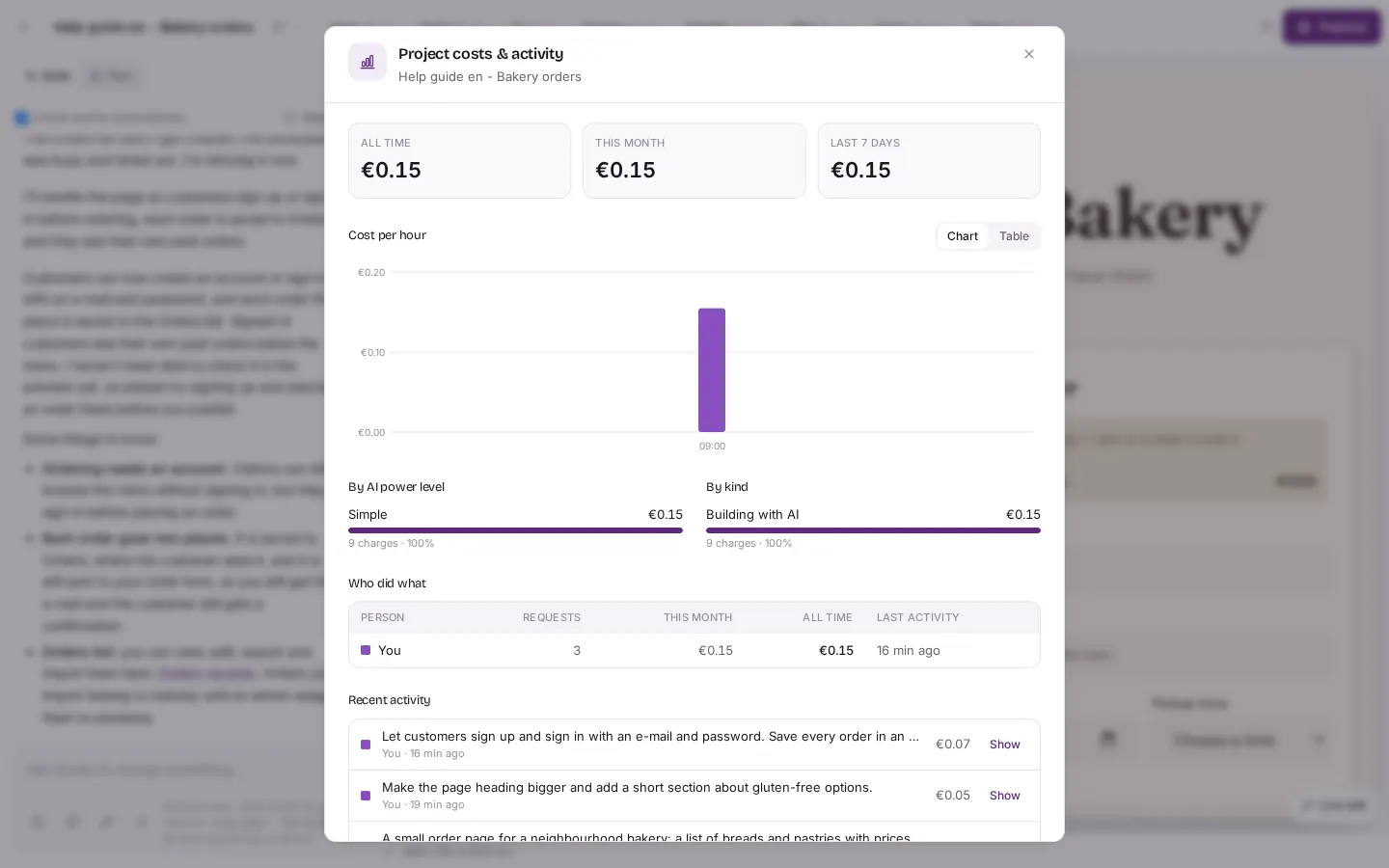
Grow menu, then "Project costs & activity". The window shows totals for "ALL TIME", "THIS MONTH" and "LAST 7 DAYS", the cost per hour and the cost per AI level. - To see what your package includes, open the Grow menu and choose Usage and what the package includes. It compares what your project uses with what your package gives you.
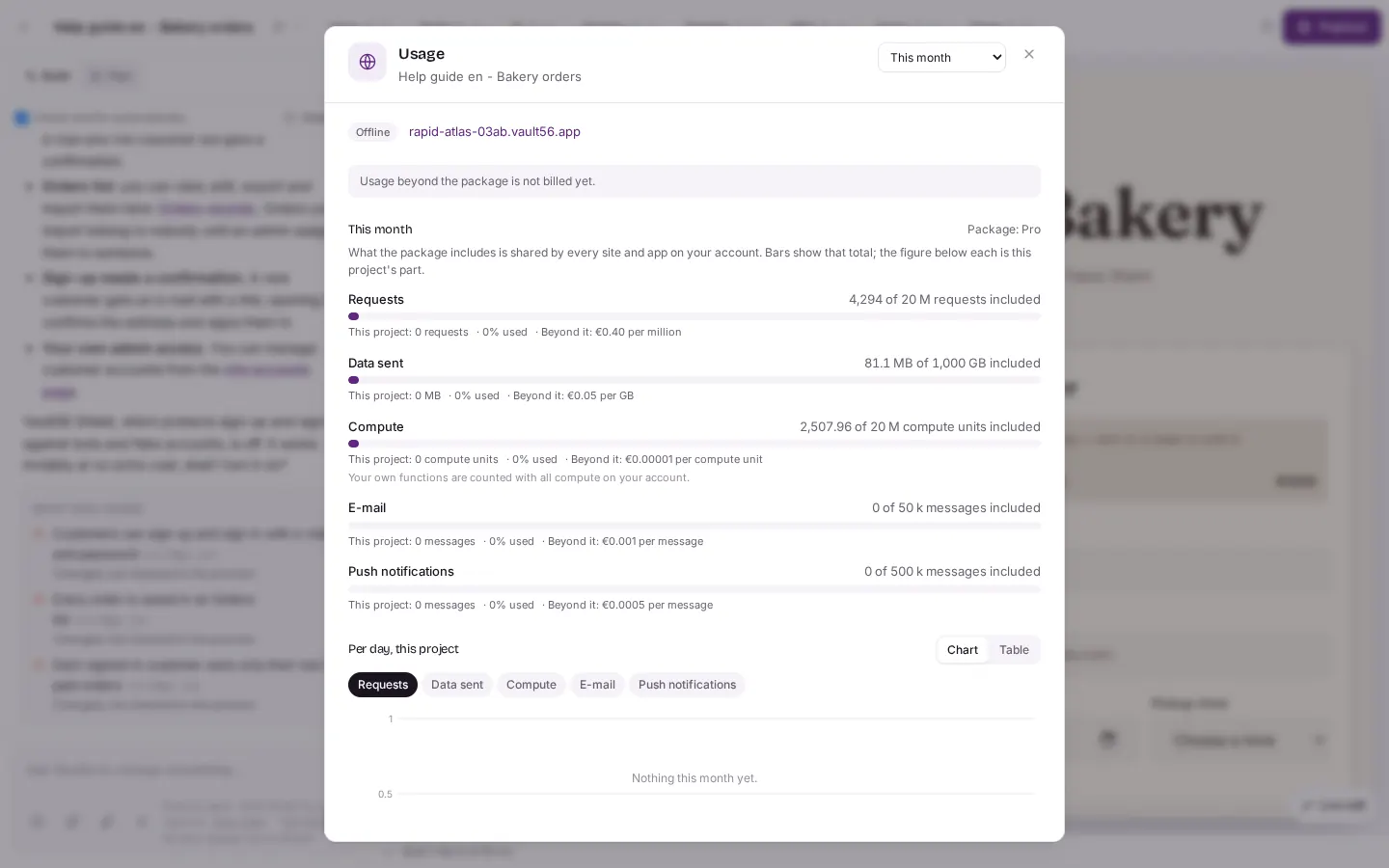
Grow menu, then "Usage and what the package includes". The "Usage" window compares what your project uses with what your package includes. - To see or top up your AI credit, open the Team menu and choose Your AI credit. You see your balance, your daily limit and recent charges. Top-ups show the VAT before you pay.
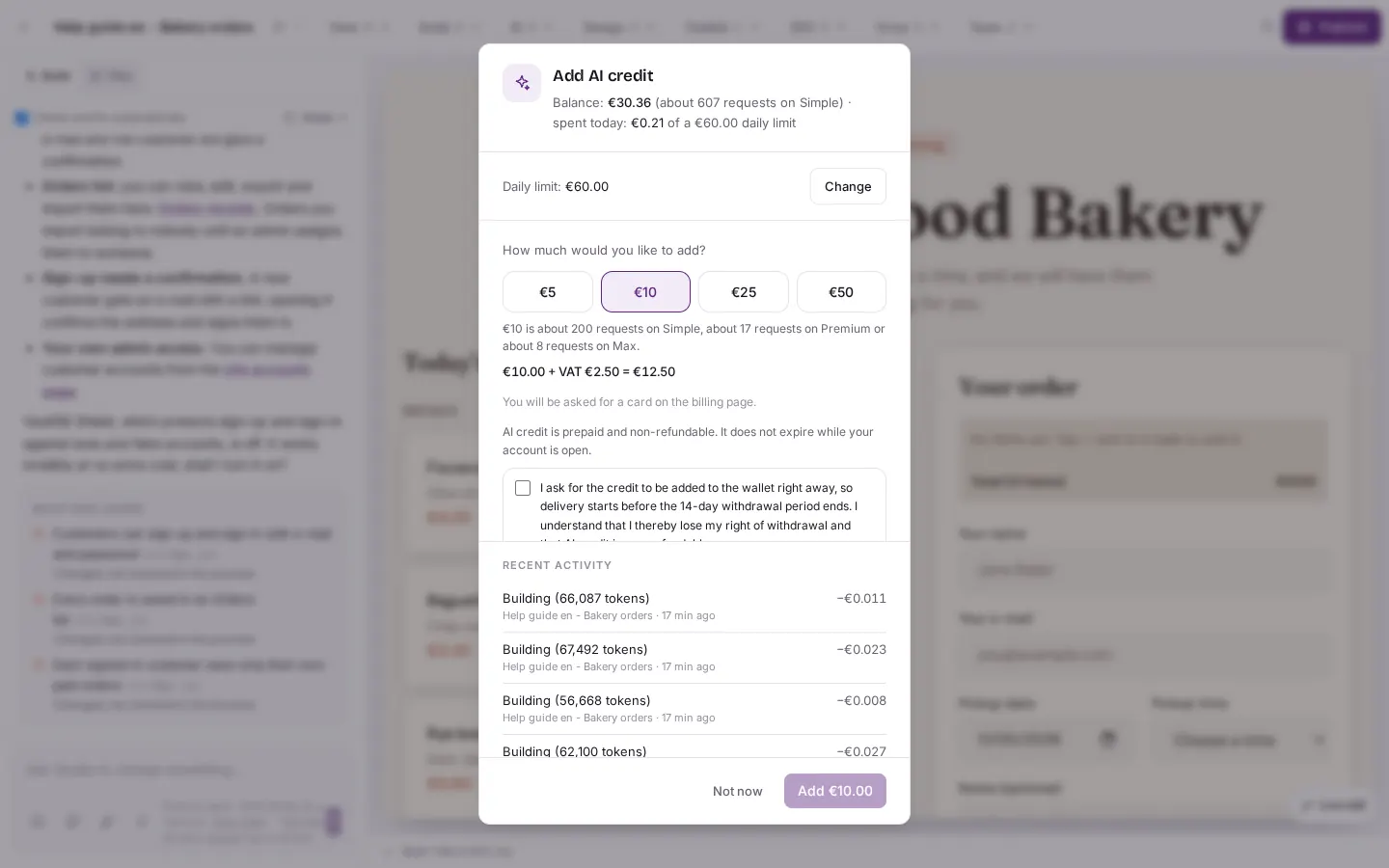
Team menu, then "Your AI credit". You see your balance, your daily limit, the top-up amounts and recent charges. Top-ups show the VAT. - On the Studio start screen you find the three things together: AI credit with Top up, the AI Power Level and the Feature package row with Starter, Standard, Pro and Enterprise. The question mark next to Feature package opens What are packages?.
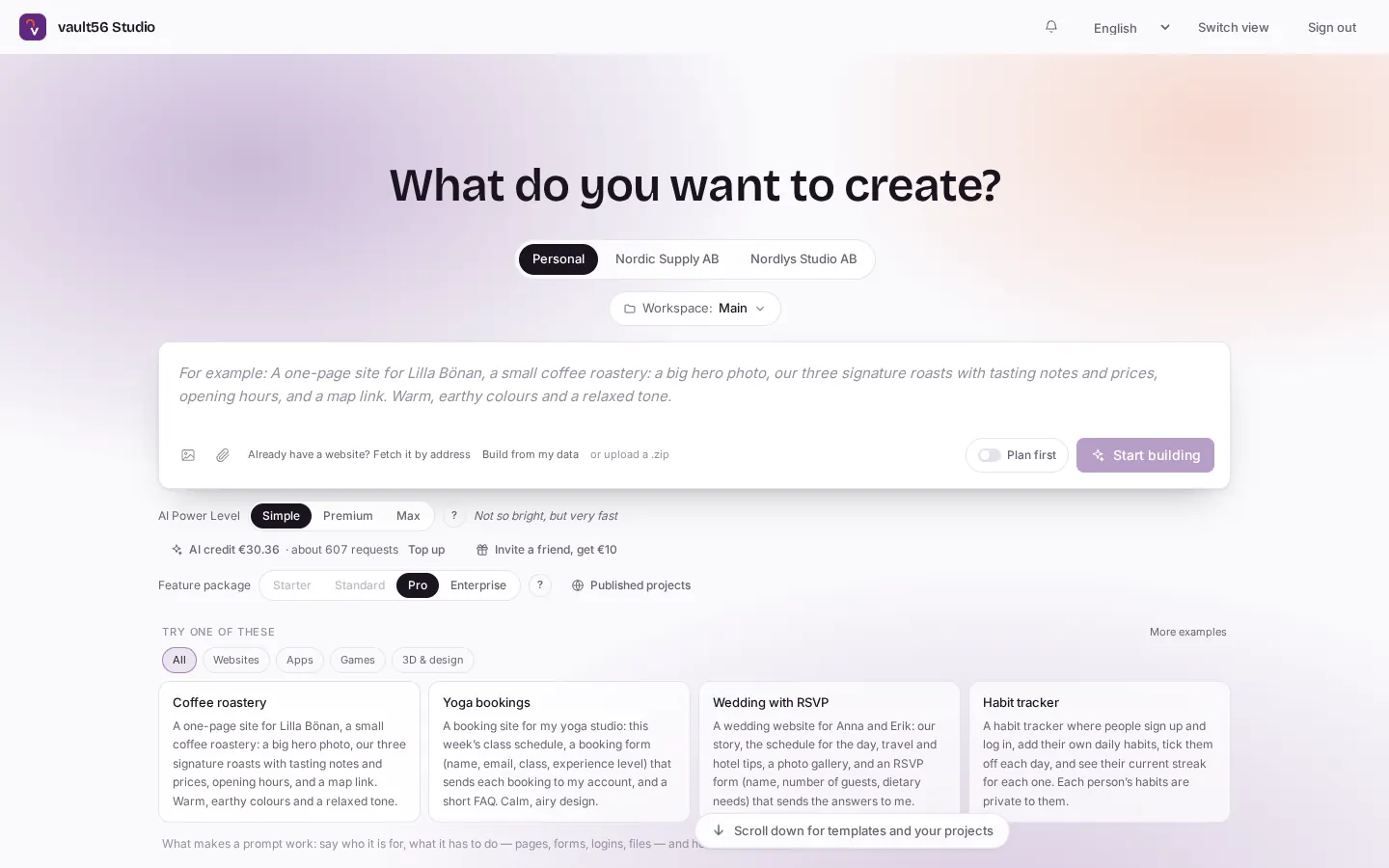
Back on the start screen you see "AI credit" with a "Top up" link, the "AI Power Level" and the row "Feature package": Starter, Standard, Pro and Enterprise.
Good to know
- The package decides how many sites you can publish and which features you get. If Publish or another feature asks for a larger package, that is why. Enterprise includes unlimited published sites.
- The AI level (Simple, Premium or Max) decides how capable each request is and what it costs. Premium costs about four times as much as Simple and Max about eight times. A stronger level costs more per step but often needs fewer steps.
- The AI credit pays for every request to the builder. Under every chat box, Studio shows what a request usually costs, and each finished message shows its price.
- Free: live edit, switching themes, variants, going back in History, and asking people for feedback.
- Usage beyond what your package includes is not billed yet.