
Publish your site and use your own domain
Choose an address, share a private draft if you want a second opinion, then publish. You can add your own domain too.
Before you start
- A project in Studio that you are happy with.
- Your package must allow another published site. See What things cost.
Steps
- Press the purple Publish button at the top right. A short explainer, How publishing works, opens first. Read it and press Continue. You can tick Don't show this again.
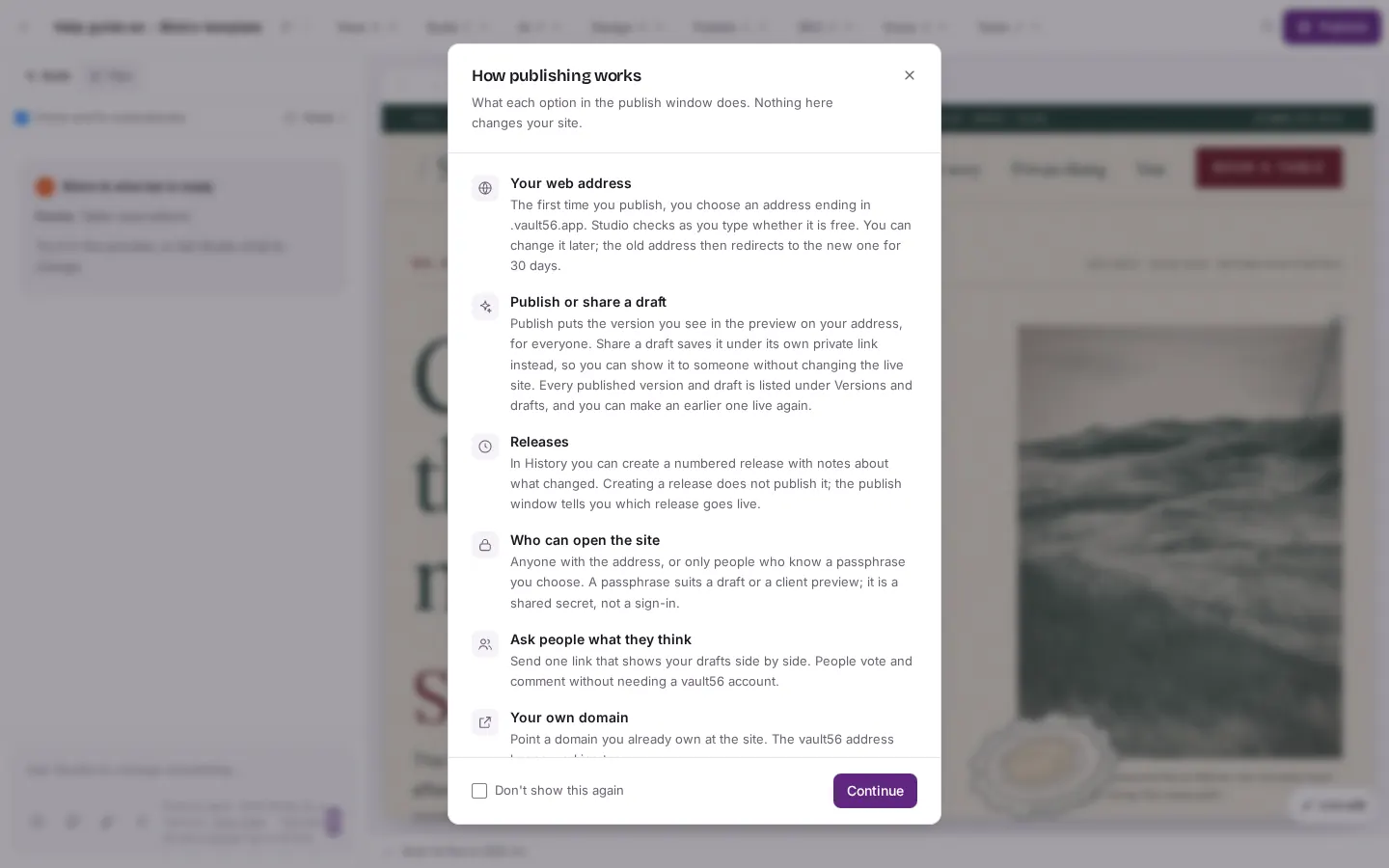
Press the purple "Publish" button. A short explainer called "How publishing works" opens first. Press "Continue". - In Publish your site, choose your address under WEB ADDRESS. It ends in .vault56.app. Studio checks it as you type and says when it is free. You can also tick Make it installable so visitors can add the site to their phone.
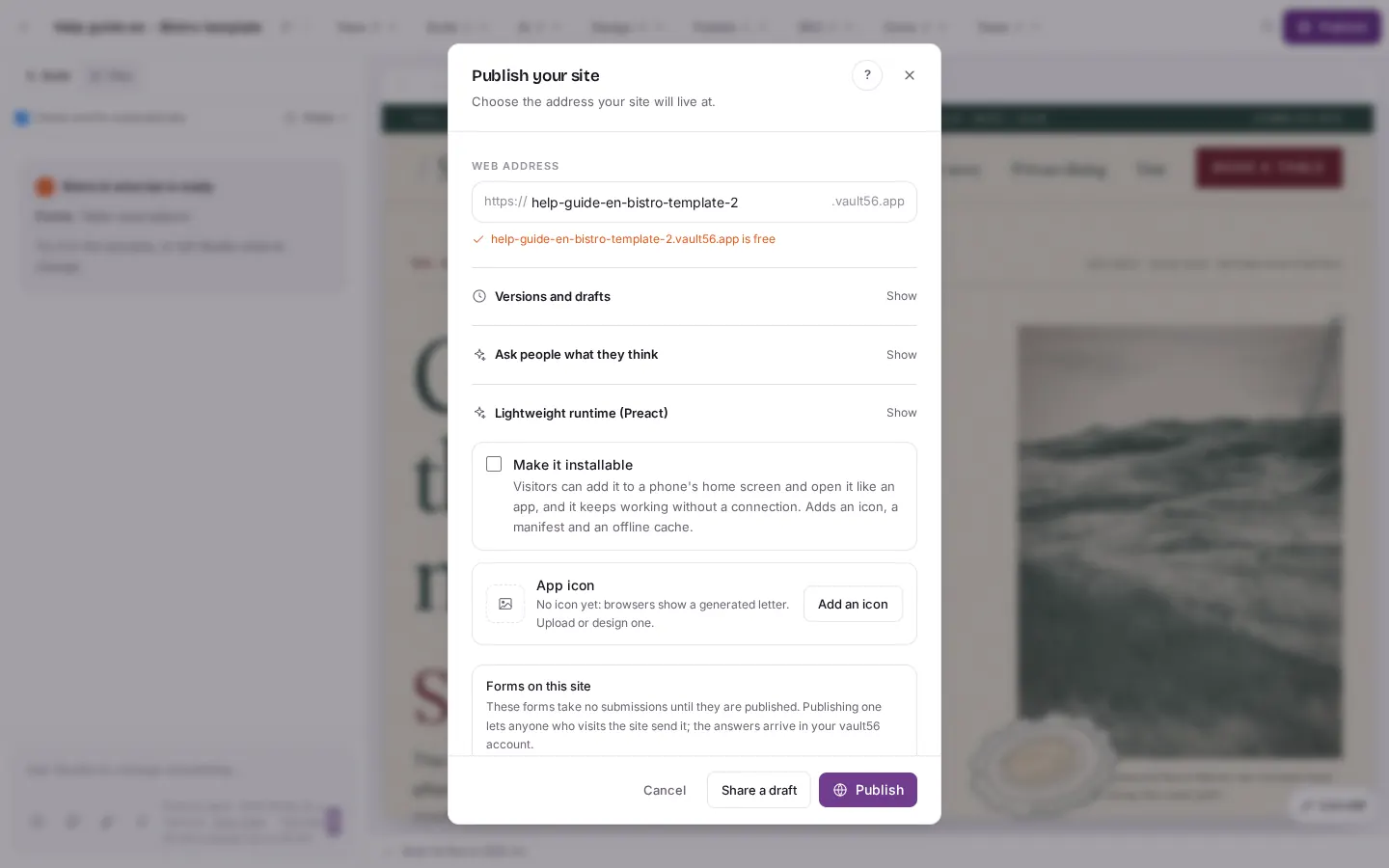
In "Publish your site" you choose the address under "WEB ADDRESS". Studio checks it live and says when it is free. You can also tick "Make it installable". - Scroll down. Under Forms on this site you decide which forms to publish. A form takes answers only once it is published.
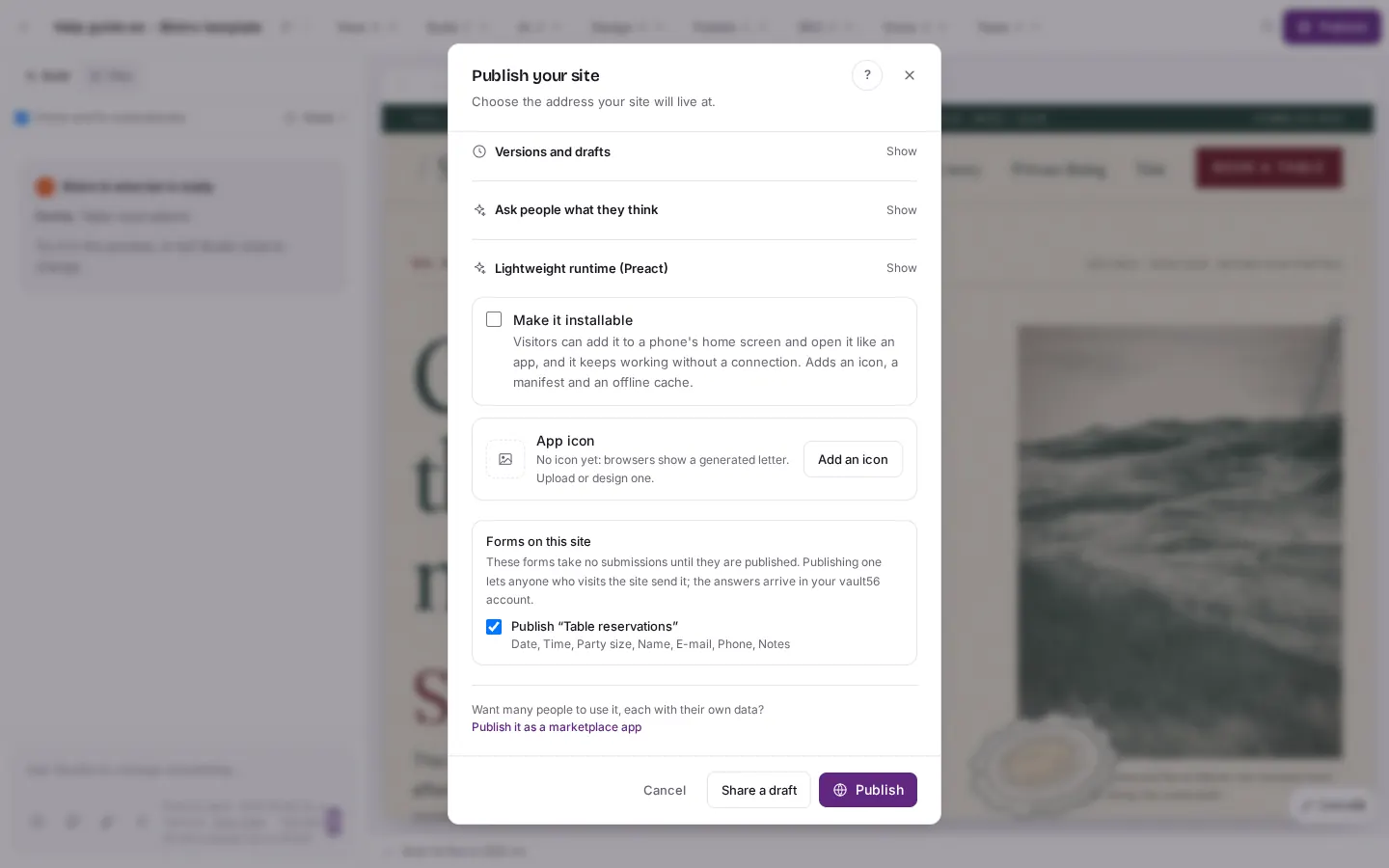
Scroll down in the dialog to see "Forms on this site". Forms only take submissions once they are published. The buttons at the bottom are "Cancel", "Share a draft" and "Publish". - To show the site to someone first, press Share a draft. Studio makes a private link and does not change your live site. Press Copy link and send it to the people you choose.
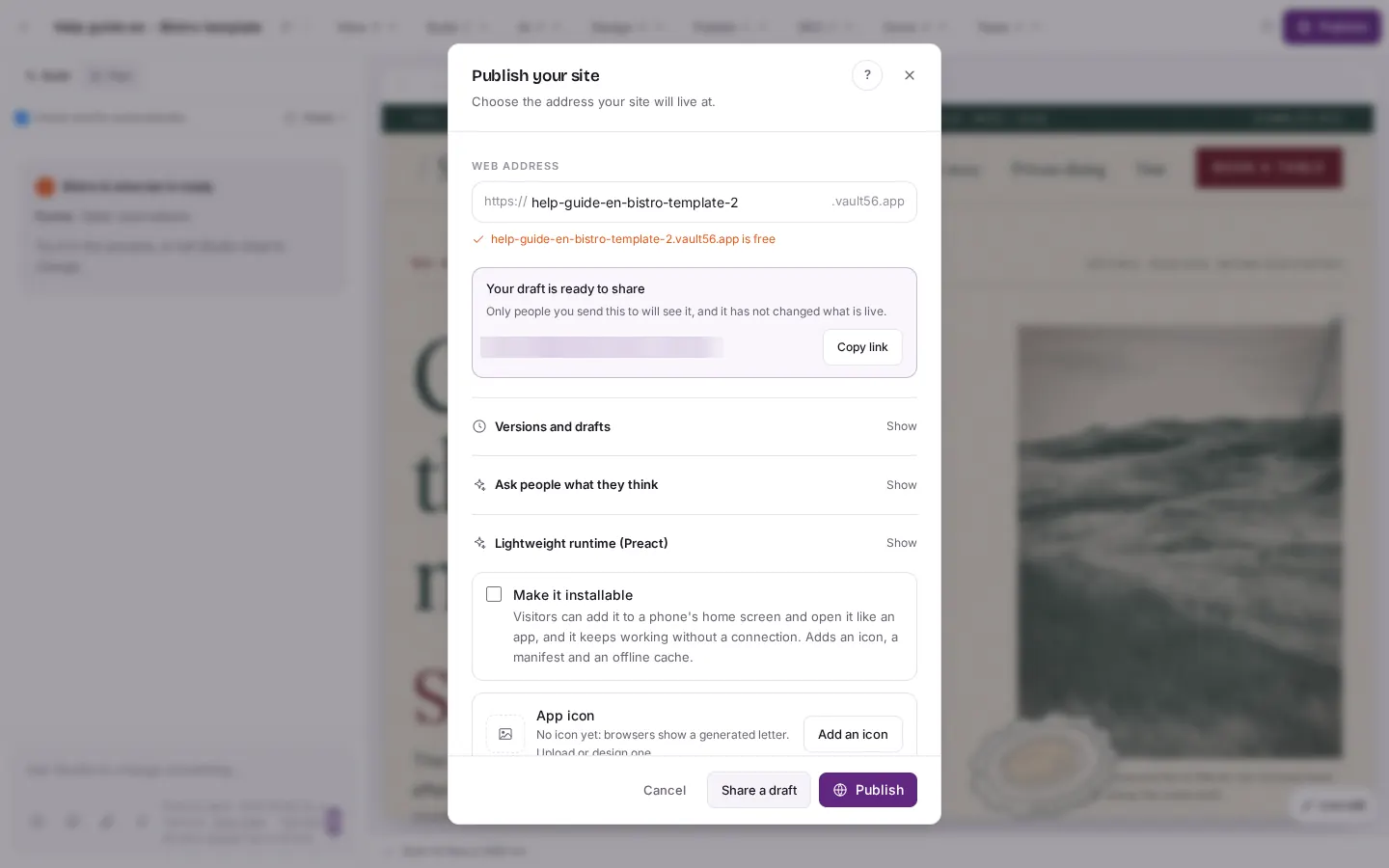
"Share a draft" makes a private link. The box says "Your draft is ready to share" and has a "Copy link" button. The secret code in the link is hidden in this picture. - Anyone with the draft link sees the site exactly as it is now.
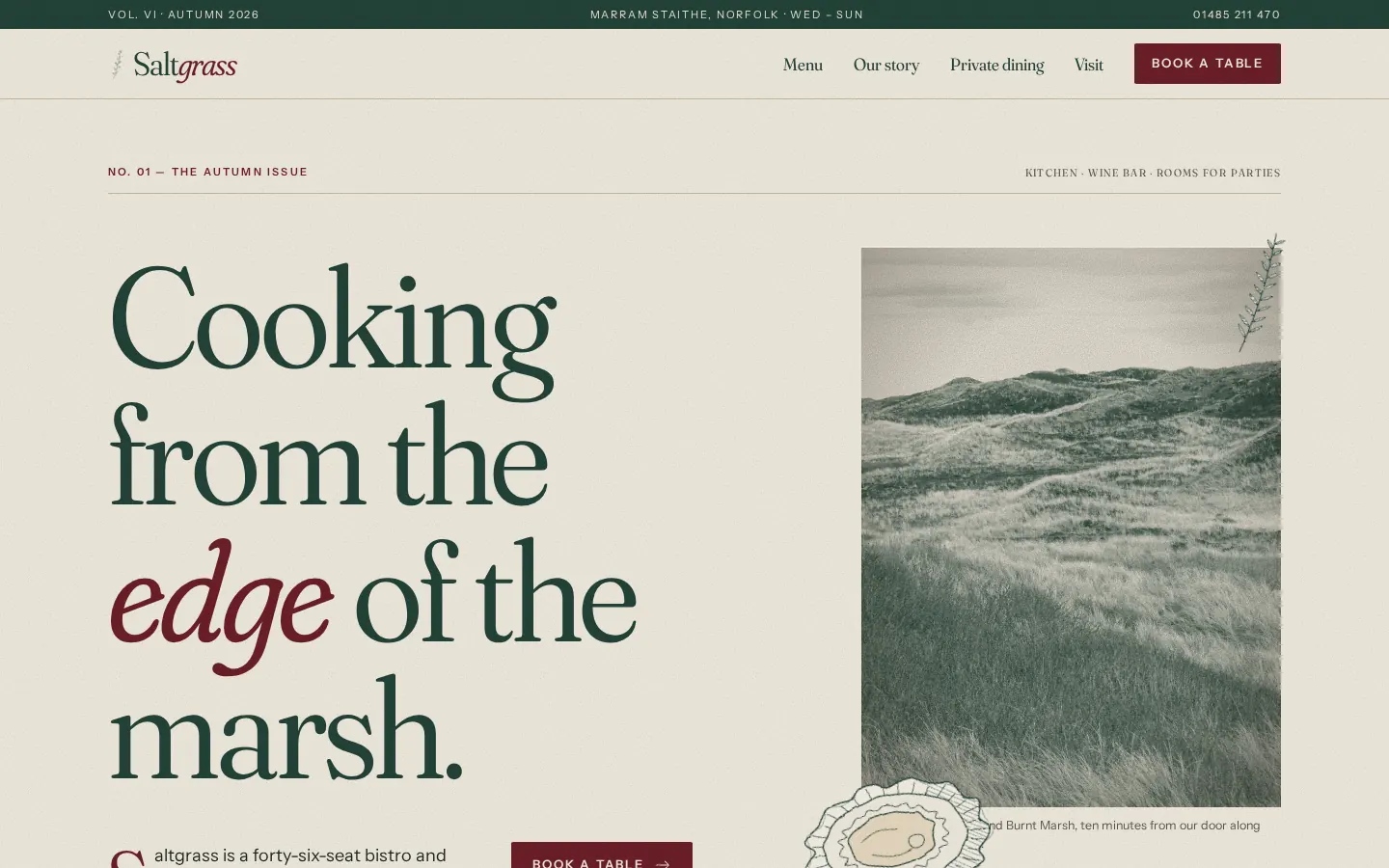
What people see when they open the draft link: your site, exactly as it is now, in a normal browser tab. - When you are ready, press Publish. Your site is live at the address you chose.
- To use your own domain, open the Build menu and choose Data this site uses. In the card Your own domain, type your address and press Add. The vault56 address keeps working too.
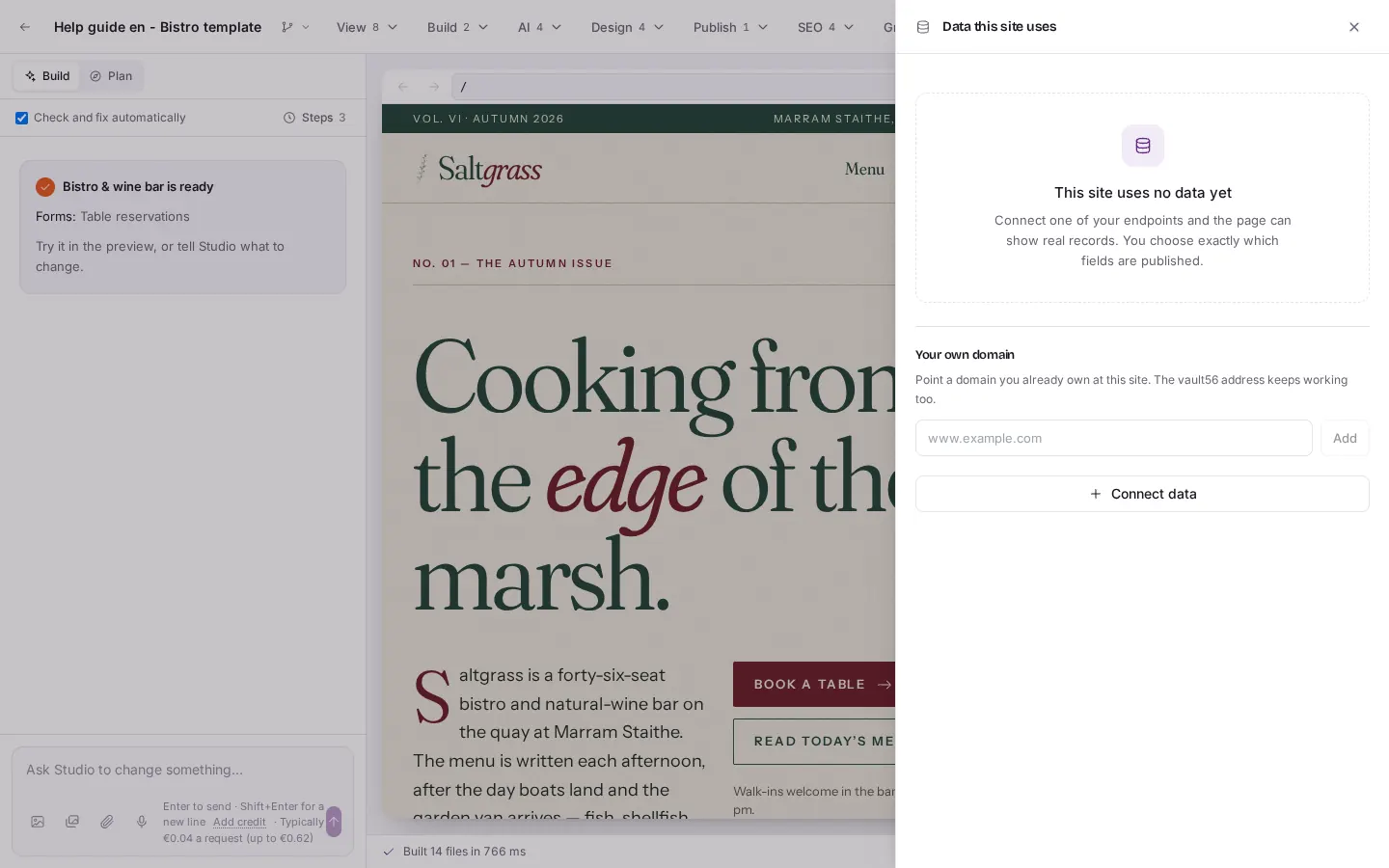
Build menu, then "Data this site uses". The card "Your own domain" has a field for your address and an "Add" button.
Good to know
- A package decides how many sites you can publish and which features you get. If Publish asks for a larger package, that is why. Read What things cost to see the packages.
- Anyone who has a draft link can open it, so share it only with people you trust. You can make a new link at any time.
- If you rename the address later, the old address sends visitors to the new one for 30 days.
- Forms that the builder made are drafts until you publish them. The publish dialog ticks them for you.